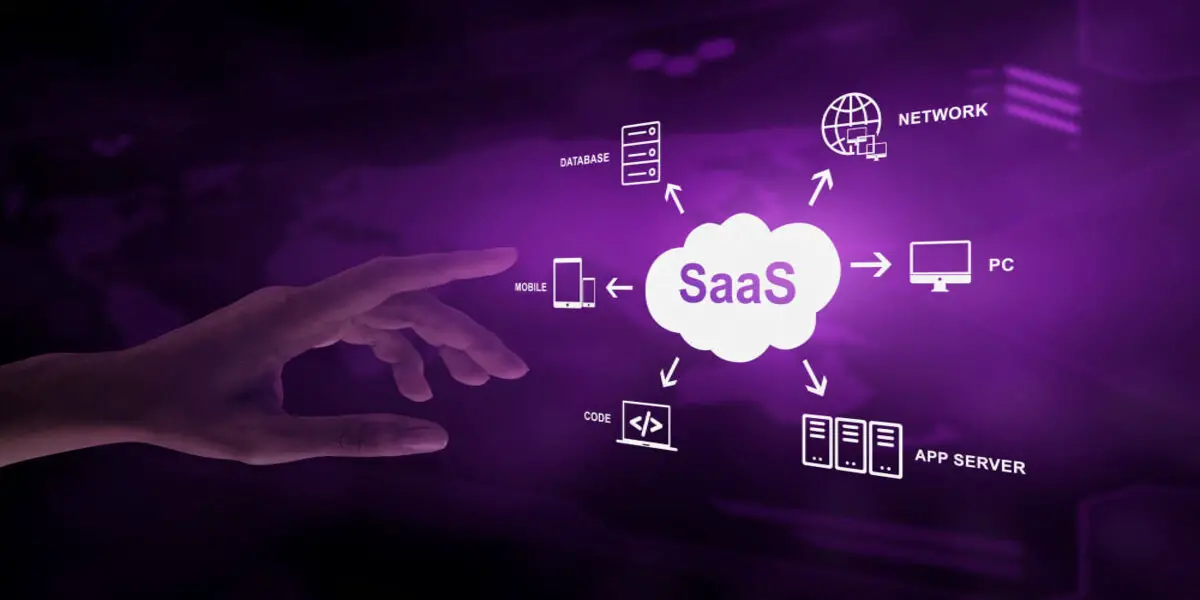
What is Software?
The software encompasses a collection of computer programs, data, instructions, or commands designed to direct a computer in executing specific tasks and dictating the methods for their accomplishment. This broad category includes a diverse range of components such as scripts, applications, and executable programs, all collectively termed as software.
Essentially, software is the driving force behind a computer's functionality, shaping its capabilities and determining how it interacts with users and processes data. Without software, computers would be inert machines, lacking the intelligence and adaptability that make them invaluable tools in various domains of modern life.
Types of Software
There are various types of software, each serving specific purposes and functionalities. Here are some common categories:
Operating System Software:
- Examples: Microsoft Windows, macOS, Linux, Android, iOS.
- Purpose: Manages hardware resources and provides services for computer programs.
Application Software:
- Examples: Microsoft Office (Word, Excel, PowerPoint), Adobe Photoshop, web browsers (Chrome, Firefox), video editors (Adobe Premiere, Final Cut Pro).
- Purpose: Performs specific tasks for end-users, such as word processing, image editing, or web browsing.
Utility Software:
- Examples: Antivirus software, disk cleanup tools, backup software.
- Purpose: Provides tools to manage and optimize system resources, enhance security, or perform maintenance tasks.
Programming Software:
- Examples: Integrated Development Environments (IDEs) like Visual Studio, Eclipse, or text editors like Sublime Text.
- Purpose: Facilitates the creation, editing, and debugging of software code.
System Software:
- Examples: Device drivers, firmware.
- Purpose: Coordinates the functioning of hardware components, enabling communication between software and hardware.
Middleware Software:
- Examples: Database management systems (DBMS), application servers.
- Purpose: Connects different software applications and allows them to communicate and share data.
Network Software:
- Examples: Network operating systems, firewalls, network protocols.
- Purpose: Manages network resources, facilitates communication between devices, and ensures network security.
Embedded Software:
- Examples: Firmware in electronic devices, control software in appliances.
- Purpose: Runs on embedded systems and controls specific hardware functions within devices.
Business Software:
- Examples: Enterprise Resource Planning (ERP) systems, Customer Relationship Management (CRM) software.
- Purpose: Supports business processes, improves efficiency, and facilitates organization-wide tasks.
Educational Software:
- Examples: Learning management systems, educational games.
- Purpose: Facilitates learning and education, often used in academic or training settings.
Entertainment Software:
- Examples: Video games, multimedia applications.
- Purpose: Provides entertainment and recreation for users.
Real-time Software:
- Examples: Real-time operating systems, control systems in aircraft or manufacturing.
- Purpose: Processes data and produces results quickly enough to affect the environment being controlled.
These categories are not mutually exclusive, and some software may fall into multiple categories based on its functionality. The software landscape is diverse, with continual evolution and development.
Application Software
What is application software? In our contemporary daily routines, application software has seamlessly integrated itself into the fabric of our lives. From engaging in social media interactions to making online purchases and booking travel arrangements, various facets of our existence are mediated through diverse types of application software. Unlike system software, which plays a pivotal role in guiding and managing hardware resources, application software is specifically crafted to fulfill the diverse and dynamic needs of users. It embodies the digital tools and platforms that empower individuals to communicate, transact, and organize their activities in the digital realm, making it an indispensable and ubiquitous component of our modern lifestyle.
Application software refers to a set of programs or software designed to perform specific tasks for end-users. There are various types of application software, each serving a specific purpose. Here are some common types:
Word Processing Software:
- Examples: Microsoft Word, Google Docs, LibreOffice Writer
- Purpose: Creating, editing, and formatting text documents.
Spreadsheet Software:
- Examples: Microsoft Excel, Google Sheets, LibreOffice Calc
- Purpose: Performing numerical calculations, creating charts, and analyzing data in tabular form.
Presentation Software:
- Examples: Microsoft PowerPoint, Google Slides, LibreOffice Impress
- Purpose: Creating slideshows and presentations with multimedia elements.
Database Software:
- Examples: Microsoft Access, MySQL, Oracle
- Purpose: Managing and organizing data in a structured manner.
Graphics and Design Software:
- Examples: Adobe Photoshop, CorelDRAW, GIMP
- Purpose: Creating and editing visual content such as images, graphics, and illustrations.
Web Browsers:
- Examples: Google Chrome, Mozilla Firefox, Microsoft Edge
- Purpose: Navigating and interacting with content on the World Wide Web.
Email Clients:
- Examples: Microsoft Outlook, Mozilla Thunderbird, Gmail
- Purpose: Managing and sending emails.
Media Players:
- Examples: VLC Media Player, Windows Media Player, iTunes
- Purpose: Playing audio and video files in various formats.
Antivirus Software:
- Examples: Norton, McAfee, Avast
- Purpose: Protecting the computer system from malware, viruses, and other security threats.
Project Management Software:
- Examples: Trello, Asana, Microsoft Project
- Purpose: Planning, organizing, and managing projects and tasks.
Financial Software:
- Examples: QuickBooks, Quicken, Microsoft Money
- Purpose: Managing personal or business finances, budgeting, and accounting.
Communication Software:
- Examples: Skype, Slack, Zoom
- Purpose: Facilitating communication through instant messaging, video conferencing, and collaboration tools.
Educational Software:
- Examples: Moodle, Khan Academy, Edmodo
- Purpose: Facilitating learning and educational activities.
Gaming Software:
- Examples: Steam, Epic Games Launcher, Origin
- Purpose: Running and managing computer games.
Utilities:
- Examples: Disk Cleanup, File Explorer, Task Manager
- Purpose: Performing system maintenance, file management, and other utility tasks.
These are just a few examples, and the landscape of application software is vast and continually evolving as new technologies emerge.
How To Choose The Right Application Software For Your Business?
Choosing the right application software for your business is a crucial decision that can significantly impact your efficiency, productivity, and overall success. Here are some steps to help you make an informed decision:
Identify Your Business Needs:
- Clearly define your business requirements and objectives. Understand the specific tasks and processes that need improvement or automation.
- Involve key stakeholders, such as department heads or end-users, to gather comprehensive insights into their needs and challenges.
Set a Budget:
- Determine a realistic budget for your software acquisition, including implementation, training, and ongoing maintenance costs.
- Consider the long-term value rather than just the initial investment.
Scalability:
- Choose software that can scale with your business as it grows. This ensures that your investment remains relevant and effective in the long run.
Integration Capabilities:
- Assess the compatibility of the software with your existing systems and applications. Seamless integration can prevent data silos and streamline workflows.
- Look for software that supports industry-standard protocols and APIs.
User-Friendly Interface:
- Consider the ease of use for the end-users. A user-friendly interface can reduce training time and increase adoption rates.
- Conduct demos or trial periods to allow users to experience the software firsthand.
Customization Options:
- Check the level of customization the software offers. This ensures that the solution aligns with your unique business processes and requirements.
- Avoid overly rigid solutions that may force you to adapt your processes to fit the software.
Vendor Reputation and Support:
- Research the reputation of the software vendor. Look for customer reviews, testimonials, and case studies.
- Evaluate the vendor's support services, including customer service responsiveness, training options, and ongoing support.
Security and Compliance:
- Prioritize security features to protect sensitive business data. Check if the software complies with industry regulations and standards.
- Assess the vendor's commitment to regular updates and patches to address potential security vulnerabilities.
Trial and Testing:
- Take advantage of free trials or demo versions of the software. This allows you to assess its functionality and suitability for your business.
- Pilot the software with a small group of users before implementing it across the entire organization.
Future Roadmap:
- Investigate the vendor's product roadmap. A clear and ambitious roadmap can indicate ongoing development and support for the software.
Evaluate Total Cost of Ownership (TCO):
- Consider not only the initial purchase cost but also ongoing expenses, such as maintenance, upgrades, and support.
- Calculate the total cost of ownership over the expected lifespan of the software.
By carefully considering these factors, you can make a well-informed decision and choose application software that aligns with your business goals and contributes to long-term success.
System Software vs Application Software
System software and application software are two fundamental types of computer programs that serve different purposes and play distinct roles in the operation of a computer system.
System Software:
- Purpose: System software is designed to manage and control the hardware components and provide a platform for running application software.
- Functionality:
- Operating System (OS): The core component of system software that manages hardware resources, provides a user interface, and controls the execution of other software.
- Device Drivers: Software that allows the operating system to communicate with and control hardware devices.
- Utilities: Tools and programs that perform system-related tasks, such as disk management, system maintenance, and security functions.
- Examples: Microsoft Windows, macOS, Linux, Unix.
Application Software:
- Purpose: Application software is designed to perform specific tasks or provide functionality for end-users.
- Functionality:
- Productivity Software: Tools that assist in creating documents, spreadsheets, presentations, etc. Examples include word processors, spreadsheet applications, and presentation software.
- Graphics and Multimedia Software: Applications for creating, editing, and manipulating graphics, images, audio, and video files.
- Communication Software: Programs for email, messaging, web browsing, and other communication purposes.
- Entertainment Software: Video games, multimedia players, and other entertainment applications.
- Examples: Microsoft Office (Word, Excel, PowerPoint), Adobe Photoshop, Google Chrome, Spotify.
Key Differences:
Function:
- System Software: Manages and controls hardware resources, provides a platform for running application software, and ensures the overall functionality of the computer system.
- Application Software: Performs specific tasks or provides functionality for end-users based on their needs and requirements.
Interaction:
- System Software: Typically runs in the background and is not directly interacted with by end-users. It provides a platform for running application software.
- Application Software: Interacted with directly by end-users to accomplish specific tasks or activities.
Examples:
- System Software: Operating systems (Windows, macOS, Linux), device drivers, utilities.
- Application Software: Word processors (Microsoft Word), graphic design software (Adobe Photoshop), web browsers (Google Chrome).
In summary, system software provides the foundational infrastructure for a computer system to operate, while application software is designed to meet specific user needs and perform particular tasks on top of that infrastructure.